What Is llms.txt? How to Create One (and Whether You Need It)
AI assistants increasingly read websites on behalf of users. But a typical web page is cluttered with navigation, scripts, cookie banners and ads. llms.txt is a simple proposal to give AI models a clean shortcut to the content that matters most on your site.
In this guide, you’ll learn what llms.txt is, how it differs from robots.txt and XML sitemaps, how to create one with a copy-and-paste example, and, just as important, an honest look at what it can and can’t do for your visibility right now.
llms.txt is a proposed markdown file placed at yoursite.com/llms.txt that summarizes your website and links to your most useful pages for large language models. It’s easy to create and low-risk, but no major search engine has confirmed using it for rankings, so treat it as a helpful extra, not a core SEO tactic.
What Is llms.txt?
llms.txt is a plain-text markdown file, placed in the root directory of a website, that gives large language models (LLMs) a concise overview of the site and a curated list of links to its most important content.
The format was proposed in 2024 by Jeremy Howard of Answer.AI and is documented at llmstxt.org. The idea is simple: instead of forcing an AI to parse complex HTML, you give it a tidy, human-readable index written in markdown.
llms.txt vs llm.txt
You’ll often see people search for “llm.txt.” The proposed standard uses the plural, llms.txt. Use that filename so tools that look for it can find it.
llms.txt vs robots.txt vs sitemap.xml
These three files are often confused, but they serve different jobs:
| File | Purpose | Audience | Format |
|---|---|---|---|
| robots.txt | Tells crawlers what they may or may not crawl | All bots | Plain-text directives |
| sitemap.xml | Lists URLs you want indexed | Search engines | XML |
| llms.txt | Summarizes and curates key content | LLMs and AI agents | Markdown |
robots.txt is about permission. A sitemap is about discovery. llms.txt is about understanding. It does not block or allow anything.
robots.txt says where bots can go. llms.txt suggests what they should read first.
How llms.txt Works
When an AI tool or agent visits your site, it can request /llms.txt. If the file exists, the tool reads your summary and follows the links to the pages you’ve highlighted. Some sites also publish markdown versions of key pages, such as /docs/getting-started.md, so AI tools can read the clean text directly.
There’s also an optional companion file, llms-full.txt, which contains the full text of your key documentation in one file. It’s most common on developer documentation sites.
The llms.txt File Format
The proposal defines a simple structure:
- An H1 with the name of your site or project (required)
- A blockquote with a short summary of what you do
- Optional paragraphs with extra context
- H2 sections containing markdown lists of links, each with an optional short description
- An optional “Optional” section for secondary links that can be skipped if context is limited
llms.txt example
Here’s a simple example for a small SEO agency:
# SEOGurru

> SEOGurru is an SEO agency that helps businesses grow organic traffic through technical SEO, content optimization, link building and AI search optimization.

We serve small businesses, B2B companies, ecommerce brands and healthcare providers.

## Services

- [SEO Services](https://seogurru.com/seo-services/): Full-service SEO programs
- [Technical SEO](https://seogurru.com/technical-seo-services/): Audits, site speed and crawlability
- [AI SEO Services](https://seogurru.com/ai-seo-services/): AEO and GEO for AI search visibility

## Guides

- [Schema Markup Guide](https://seogurru.com/schema-markup-guide/): JSON-LD basics for beginners
- [Core Web Vitals Guide](https://seogurru.com/core-web-vitals-guide/): LCP, INP and CLS explained

## Optional

- [About](https://seogurru.com/about/): Company background and team
- [Contact](https://seogurru.com/contact/): How to reach us
How to Create an llms.txt File in 6 Steps
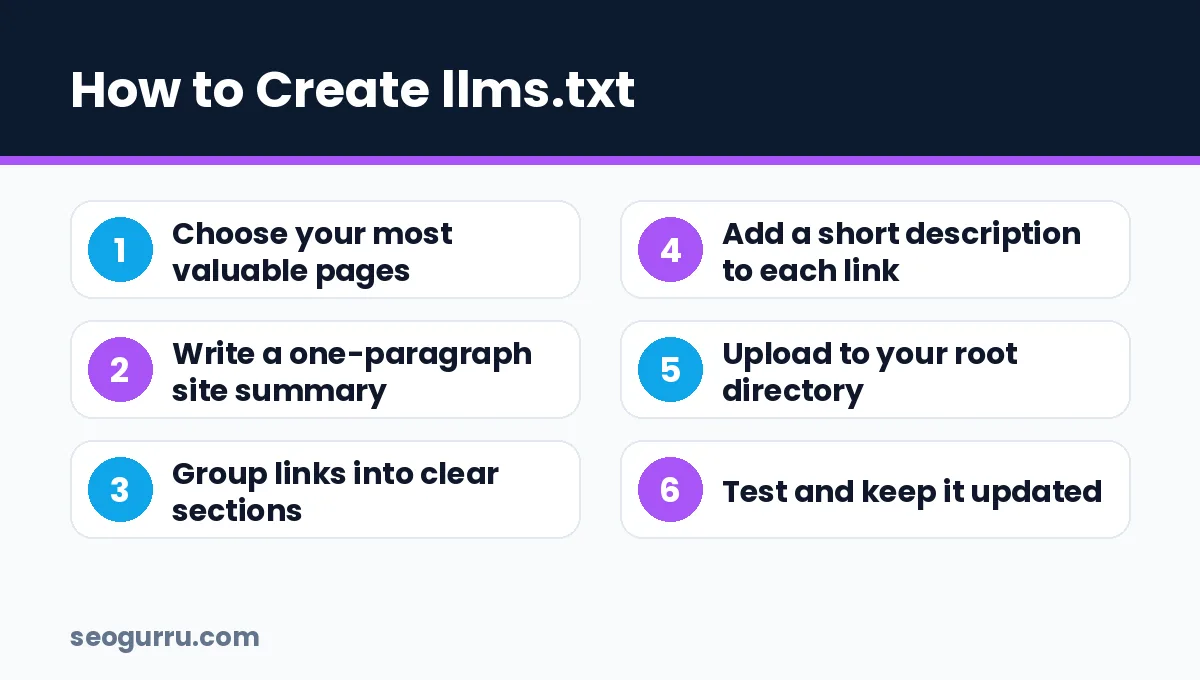
1. Choose your most valuable pages
Pick the 10–50 pages that best explain your business: core services, product docs, pricing, key guides and FAQs. Skip thin pages, tag archives and outdated posts.
2. Write a clear site summary
In two or three sentences, explain who you are, what you offer and who you serve. Write it like you’d brief a new employee. Avoid marketing fluff.
3. Group links into sections
Use H2 headings such as “Services,” “Products,” “Documentation,” “Guides” and “Policies.” Logical grouping helps AI tools find the right page for a question.
4. Describe each link
After each link, add a short description after a colon. This helps an AI decide which page to open without loading all of them.
5. Upload to your root directory
Save the file as llms.txt (UTF-8, plain text) and upload it so it loads at https://yourdomain.com/llms.txt. On WordPress, you can upload it via your hosting file manager or SFTP. Some SEO plugins, including recent versions of Yoast SEO, can generate one for you automatically.
6. Test and maintain it
Open the URL in your browser to confirm it loads as plain text. Then add it to your content workflow: whenever you launch a key page or retire an old one, update the file.
- llms.txt is a curated markdown index for AI, placed at your site root.
- It complements robots.txt and sitemaps; it doesn’t replace them.
- It takes under an hour to create and costs nothing to maintain.
Does llms.txt Actually Help SEO or AI Visibility?
Here’s the honest answer: the evidence so far is limited.
- Google representatives have publicly said that Google doesn’t use llms.txt for Search and have compared it to the old keywords meta tag.
- Major AI providers have not formally confirmed that their search products rely on llms.txt to choose sources.
- Adoption is growing, especially among developer tools and documentation sites, where coding assistants and AI agents benefit from clean markdown.
So should you bother? For most sites, yes, but with realistic expectations. It’s cheap, quick and harmless, and it may help AI agents and developer tools understand your content. Just don’t expect it to replace the fundamentals that actually drive AI visibility: crawlable pages, strong content, answer engine optimization and generative engine optimization.
What Matters More Than llms.txt
If you only have a few hours for AI readiness, prioritize these first:
- Allow the right crawlers in robots.txt, including Googlebot, Bingbot, OAI-SearchBot and PerplexityBot if you want visibility in those tools
- Make content render without JavaScript where possible
- Add structured data with our schema markup guide
- Write answer-first sections that AI can quote
- Build brand mentions on trusted third-party sites
Adding llms.txt on WordPress
WordPress users have three easy options:
- Use your SEO plugin. Recent versions of Yoast SEO include an llms.txt feature you can switch on in the plugin settings. It builds the file from your key pages automatically.
- Upload a static file. Write the file in a text editor, then upload it to your site’s root folder (the same folder as
wp-config.php) through your hosting file manager or SFTP. - Use a dedicated plugin. Several lightweight plugins generate and update llms.txt from your pages and posts.
Whichever method you use, open yourdomain.com/llms.txt afterwards. It should display as plain text, not a 404 page or a redirect to your homepage.
Who benefits most from llms.txt?
- Software and API companies with documentation that coding assistants read
- Knowledge-heavy sites such as universities, publishers and help centers
- Service businesses that want a clean summary of what they offer
- Ecommerce stores with clear category and policy pages
Common llms.txt Mistakes
- Listing every URL on your site instead of curating
- Using HTML instead of markdown
- Forgetting to update links after a redesign
- Treating llms.txt as a way to block AI crawlers (use robots.txt for that)
- Including private or staging URLs
Frequently Asked Questions
What is llms.txt used for?
llms.txt is used to give large language models and AI agents a concise summary of a website and a curated list of its most important pages in markdown format. It helps AI tools understand and navigate your content without parsing cluttered HTML.
Is llms.txt an official standard?
No. llms.txt is a community proposal published at llmstxt.org. It is not an official web standard from the W3C or IETF, and major search engines have not confirmed using it for rankings.
Does Google use llms.txt?
Google has said it does not use llms.txt for Google Search rankings or AI Overviews. Google relies on its normal crawling, indexing and ranking systems, so traditional SEO best practices remain the priority.
Can llms.txt block AI crawlers?
No. llms.txt does not control crawler access. To allow or block specific AI crawlers, use your robots.txt file with the relevant user-agent names, such as GPTBot, OAI-SearchBot or Google-Extended.
Conclusion
llms.txt is a simple, forward-looking file that gives AI tools a clean map of your best content. It’s quick to create, harmless and potentially useful as AI agents become more common. But it’s not a ranking shortcut, and it doesn’t replace solid SEO.
Create your file this week using the example above, then focus your bigger effort on crawlability, structured data and answer-first content. Need help getting AI-ready? Our AI SEO services cover the full picture, or start with a free SEO analysis.